Most developers use Claude Code as a single conversation: you ask, it does the work, you review. That model breaks down the moment a task gets big. The agent spends thousands of tokens reading logs you’ll never look at, its context window fills with search results for questions you already answered, and by the time it reaches the third part of the job, it has forgotten the first. Claude Code subagents are the fix: specialised workers that run in their own context windows, do the noisy work out of your sight, and hand back only the summary.
This is also timely. Claude Code v2.1.302 (released 18 October 2026) turned fork subagents on by default in claude -p, the Agent SDK, the desktop app, and VS Code — they were already on in the terminal. If you’ve been ignoring subagents, the tool is now doing them for you. This guide shows you how they actually work, how to build your own, and the six patterns worth adopting. Everything below is verified against the current official documentation and the v2.1.302 release notes on 22 October 2026.
What Claude Code subagents actually are
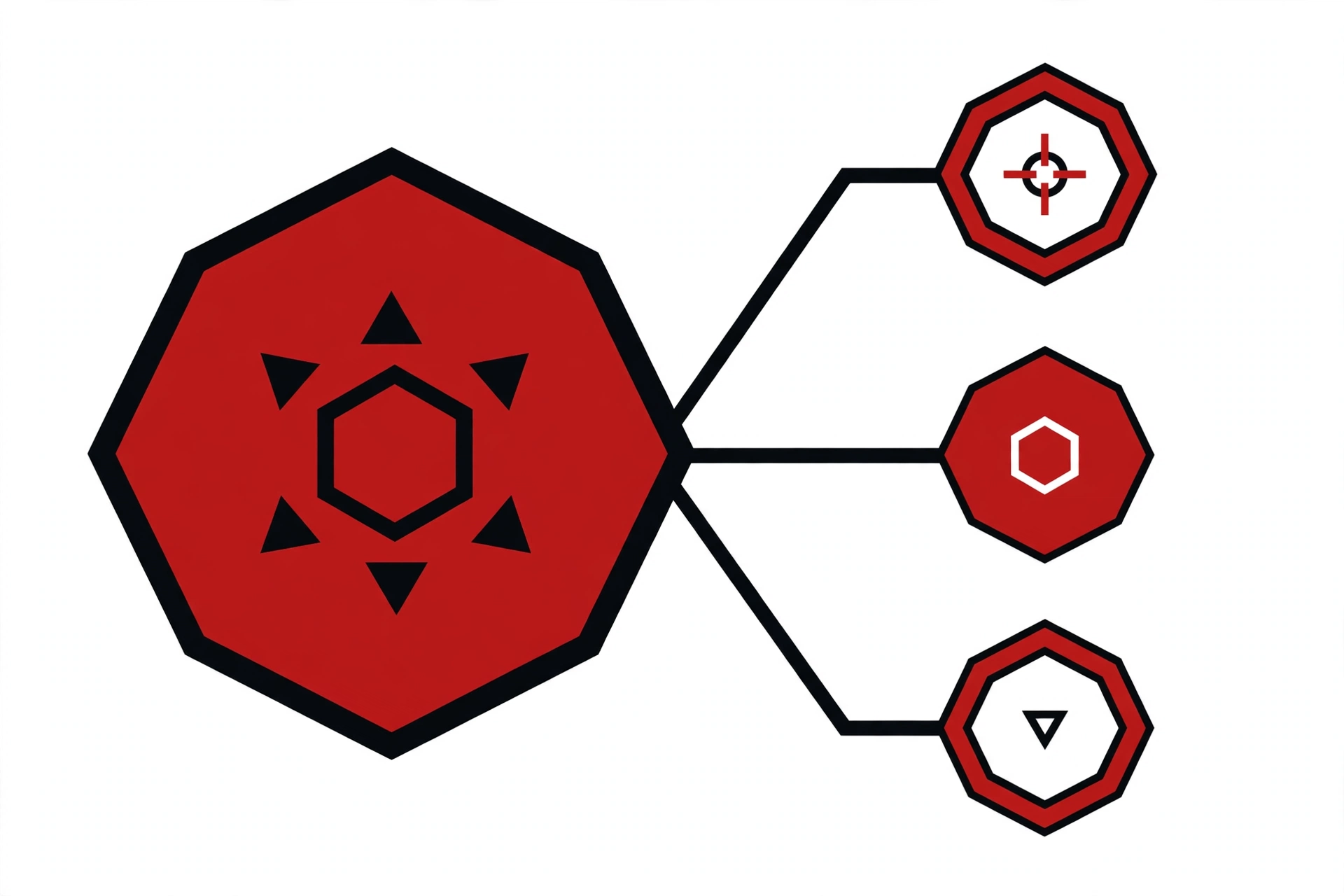
A subagent is a separate Claude Code session that works on one scoped piece of your task. It runs in its own context window with its own system prompt, its own tool access, and its own permissions. It cannot see your main conversation’s history. When it finishes, only its final summary comes back — the 40 tool calls it made along the way never touch your context.
The official line on when to reach for one is worth memorising: use a subagent when a side task would flood your main conversation with search results, logs, or file contents you won’t reference again. Reading a 2,000-line log file is a subagent job. Deciding what the log means is your job.
Claude Code ships four built-in subagents, which it invokes automatically when appropriate:
- Explore — a fast, read-only agent for codebase search and discovery. Write and Edit are denied. It starts without your CLAUDE.md files and the git status snapshot, which keeps research cheap. When invoked, Claude picks a thoroughness level: quick, medium, or very thorough.
- Plan — a read-only research agent used during plan mode to gather context before a plan is presented. Write and Edit are denied here too.
- General-purpose — a capable agent with every tool available to subagents, for complex multi-step tasks that need both exploration and modification.
- claude (helper) — the catch-all that runs when a task doesn’t fit a more specialised agent, and the default agent for a dispatched background session.
There are also niche helpers like statusline-setup (runs on Sonnet when you configure /statusline) and claude-code-guide (runs on Haiku when you ask questions about Claude Code itself). You don’t invoke these directly; Claude Code uses them behind the scenes.
Fork subagents vs regular subagents: the distinction that matters
Regular subagents start fresh. They get a delegation message — a summary of what Claude wants them to do — plus their definition, and nothing else. No conversation history, no skills you’ve already invoked, no files Claude already read. That isolation is the whole point for noisy tasks: nothing leaks into your context.
A fork is the opposite. It inherits the entire conversation so far: the same system prompt, the same tools, the same model, the same message history. The fork’s own tool calls still stay out of your conversation — only its final result comes back — but it doesn’t need anything re-explained. The official guidance: use a fork when any other subagent would need too much background to be useful, or when you want to try several approaches in parallel from the same starting point.
Here’s the practical difference that affects your bill. Because a fork’s system prompt and tool definitions are identical to the parent’s, its first request reuses the parent’s prompt cache. A fresh subagent pays full input price to rebuild context; a fork doesn’t. For tasks that need the same context you already have, forks are cheaper.
| Fork | Non-fork subagent | |
|---|---|---|
| Initial context | Full conversation history | Fresh, from delegation message |
| System prompt | Same as parent | Custom, from its definition |
| Model | Same as parent | Its own model setting |
| Tools | Full parent tool pool (no filtering) | Filtered for background use |
| Prompt cache | Reuses parent’s | Starts cold |
| Can spawn forks itself | No — the Agent tool errors | Yes, within the 3-layer limit |
| Start it with | /subtask, or Claude starts one while fork mode is on | Task tool, @-mention, or auto-delegation |
Fork mode is on by default from v2.1.302 — in the terminal it’s been on since v2.1.232. To stop Claude starting forks on its own, add "Agent(fork)" to permissions.deny in your settings, or set CLAUDE_CODE_FORK_SUBAGENT=0. You can still start one yourself with /subtask even when fork mode is off.
Four ways to get a subagent working
You don’t always have to ask for one. The four routes, from most automatic to most explicit:
1. Automatic delegation (describe it well)
Claude matches tasks against each subagent’s description. Write a clear one, and delegation happens on its own: description: Use for focused code reviews after a feature is complete. Does not run tests. Keep descriptions short — once the combined descriptions of your custom subagents exceed 15,000 tokens, Claude Code warns you at startup. Move detail into the system prompt body, which only loads when the subagent actually runs.
2. @-mention (guarantee it runs)
Type @ in the prompt and pick the subagent from the typeahead, exactly as you @-mention files. The mention controls which subagent Claude invokes, not the prompt it receives — your message still goes to Claude, which writes the subagent’s task prompt from what you asked. This is the “I know exactly which worker I want” route.
3. The Task tool (Claude’s own machinery)
When Claude decides to delegate, it calls the Task (Agent) tool with a subagent_type parameter naming the agent. If you omit subagent_type and the session has no general-purpose subagent to fall back on, the call fails with subagent_type is required. As of v2.1.302, Claude can also pass subagent_type: "fork" and even isolation: "worktree" so a fork’s file edits land in a separate git worktree instead of your checkout.
4. /subtask (start a fork yourself)
Type /subtask followed by a task and the fork appears in a panel below your prompt, running in the background while you keep working. When it finishes, its result arrives as a message in your main conversation. Use Enter to open its transcript and send follow-ups, or x to stop it. Typical use: /subtask draft test cases for the new auth endpoints while you keep writing the implementation.
Building your first custom subagent
Custom subagents are Markdown files with YAML frontmatter. The quickest way is to ask Claude to write one for you; the other way is to write the file yourself. Only name and description are required. Here’s a code reviewer you’d actually keep:
---
name: code-reviewer
description: Reviews a completed feature branch for bugs, security issues, and style violations. Invoke after implementation is done, before merging.
tools: Read, Grep, Glob, Bash
disallowedTools: Write, Edit
model: haiku
---

You are a senior code reviewer. Review the code at the paths given in your
delegation message. Report bugs, security issues, and style violations with
file:line references, ordered by severity. Do not suggest cosmetic rewrites.
Do not run the test suite. Keep the review under 400 words.
Where you save it decides who can use it:
.claude/agents/— project scope, checked into version control so the whole team shares it.~/.claude/agents/— user scope, available in every project on your machine.--agentsCLI flag — session scope, JSON definitions that exist only for one launch (useful for scripts).- Managed settings — organisation-wide, deployed by admins, highest priority.
When several definitions share a name, the higher-priority scope wins, and project scopes scan nested .claude/agents/ directories from your working directory up to the repo root — closest definition wins. Both scopes are scanned recursively, so .claude/agents/review/security.md works; identity comes from the name field, not the filename, so keep names unique.
The settings that actually matter
The frontmatter reference is long, but six fields do 90% of the work:
model — route cheap work to cheap models
Accepts aliases (sonnet, opus, haiku, fable), a full model ID like claude-opus-5-5, or inherit to match the main conversation. The reviewer above runs on Haiku because review is judgment work on text that’s already written — it doesn’t need Opus. Claude resolves the model in this order: per-invocation parameter, frontmatter, the CLAUDE_CODE_SUBAGENT_MODEL environment variable, then the main conversation’s model. Set CLAUDE_CODE_SUBAGENT_MODEL_FORCE=1 alongside the variable to pin every subagent to one model regardless of definitions.
tools and disallowedTools — enforce the role
A reviewer that can’t write can’t accidentally “fix” your code mid-review. List tools as a comma-separated string or YAML list; omit the field entirely and the subagent inherits everything. Note that some tools are stripped from every non-fork subagent regardless — AskUserQuestion, EnterPlanMode, EndConversation — because a subagent can’t ask you questions or end your conversation.
permissionMode — set the risk level per agent
default, acceptEdits, auto, dontAsk, bypassPermissions, plan. A research agent can run in plan mode so it never edits anything. One warning that surprises people: a background subagent’s permission prompts surface in your main session — so a worker you fire and forget can still ping you for approval at the worst moment. Give background agents narrow tools and you’ll rarely see those prompts.
isolation: worktree — let it touch real files safely
Set isolation: worktree and the subagent runs in a temporary git worktree — an isolated copy of the repo, branched by default from your default branch — instead of your checkout. Its Bash commands are checked so they can’t redirect git into your main checkout. If the subagent makes no changes, the worktree is cleaned up automatically. This pairs naturally with the git-worktrees workflow for parallel AI agents covered on this blog before.
maxTurns — cap the rabbit holes
Maximum agentic turns before the subagent stops. When it hits the limit, Claude Code returns its output marked as partial and Claude can resume it to continue. Set this on research agents that tend to wander — a docs-hunter rarely needs more than 10–15 turns.
memory — agents that learn between sessions
Set memory to user, project, or local to give a subagent persistent memory across sessions. A debugging agent with project memory starts remembering your codebase’s quirks instead of rediscovering them every time.
Six subagent patterns worth adopting
1. The context-trash task
The canonical use. “Read the whole access log and find every 500 error from the last deploy.” That output is enormous and 99% of it is irrelevant to your next decision. Hand it to a subagent (or just let Claude’s Explore agent take it) and get back: “12 errors, all in /api/checkout, first at 14:03.”
2. Parallel fan-out
“Write tests for auth.js, billing.js, and api.js” becomes three subagents running simultaneously, one per file, each with a fresh context window. Results come back and the parent merges them. This is where subagents genuinely cut wall-clock time — three independent tasks that would otherwise run sequentially.
3. The cheap second opinion
Route review work to Haiku. A code-reviewer subagent on model: haiku with Write/Edit denied gives you a fast, cheap review pass on every feature branch. Keep Opus for the writing, Haiku for the reading — the two workloads have very different cost profiles.
4. The risky refactor in a worktree
A subagent with isolation: worktree can attempt the scary refactor — “migrate this module to the new API” — while your checkout stays untouched. If the result is good, you merge it. If it’s garbage, the worktree is discarded. You get a sandbox you didn’t have to set up.
5. The fork for parallel approaches
Stuck between two architectures? Fork twice: /subtask sketch the Redis-based approach and /subtask sketch the Postgres-based approach. Both start from your full context, both reuse your prompt cache, and you compare two informed sketches instead of one guess.
6. The background watchdog
“While I work on auth, audit every database query for N+1 problems and report back with file:line references.” The subagent runs in the background; your session continues. One caveat: background subagents get a smaller built-in tool set than foreground ones (forks are the exception — they keep the full pool), so check that your watchdog’s tools survive the filter if it needs something exotic.
Seven mistakes that waste your time
- Files that silently never load. No
name, nodescription, YAML that doesn’t parse, a name starting with-or containing:— Claude Code skips the file without telling you in-session. If an agent never triggers, runclaude --debugand search the log for “does not recognize or apply”. - Misspelled fields are ignored silently. Write
max_turnsinstead ofmaxTurnsand nothing happens — no error, just no limit. Field names are camelCase and must match the reference exactly. - The 15,000-token description budget. Every custom subagent’s description loads into context so Claude can choose between them. Ten agents with 500-word descriptions eat 5,000 tokens on every single session start. Keep descriptions to a sentence or two and move the detail into the system prompt.
- Background tools are filtered. If your agent works fine in the foreground but loses tools in the background, this is why. Forks skip the filter.
- Nesting stops at three. A subagent can spawn subagents up to three layers below the main conversation. At the depth limit, the Agent tool is withheld — a fork at the limit keeps it in the tool list, but it returns an error instead of spawning.
- Subagents spend your budget. Each subagent sends its own API requests, and they count toward the same usage limits as your main conversation. Five parallel agents are five parallel burn rates. The
model: haikutrick exists for exactly this reason. - Forks don’t isolate inputs. A fork sees your whole conversation — that’s its superpower and its cost. Don’t fork a task where input isolation was the point (e.g. an unbiased review of the code you just wrote — use a fresh non-fork subagent, or better, your dedicated reviewer).
Should you change anything today?
If you do nothing, fork subagents are already on — v2.1.302 made them default everywhere, and they were already default in the terminal. Two settings are worth a conscious decision. First: CLAUDE_CODE_FORK_SUBAGENT=0 if you’d rather keep full control over when clones of your conversation spawn. Second: CLAUDE_CODE_SUBAGENT_MODEL_FORCE=1 plus CLAUDE_CODE_SUBAGENT_MODEL=haiku if you want every subagent cheap by default and only the main conversation on your best model. And one custom agent — a read-only Haiku reviewer in ~/.claude/agents/ — is the single highest-value hour you can spend on your setup this week.
All facts in this guide were verified against the official Claude Code documentation and the v2.1.302 GitHub release notes on 22 October 2026. Subagent features move fast — if a flag doesn’t work, check the docs before assuming you misconfigured it.
Further Reading & References
- Create custom subagents — Claude Code Docs — the official reference: scopes, frontmatter fields, model order, fork mode, background behaviour.
- Release v2.1.302 — anthropics/claude-code (GitHub) — fork subagents on by default everywhere, CLAUDE_CODE_AUTO_MODE_MODEL, hook throttling, the 128 MB image-source cap.
- Claude Code 2.1.302 Turns On Fork Subagents in SDK and Apps — AI Weekly — a digest of the release with the
CLAUDE_CODE_FORK_SUBAGENT=0opt-out. - Distribution vs Escalation: When to Use Subagents or Advisors — Generative Programmer — the clearest explanation of the subagent/advisor split, with the frontmatter field rundown and the 15,000-token description budget.
- Claude Sub-Agents — Paulund — a concise explainer of the Explore/Plan/Implementation/Validation pattern.
- Claude Code subagents: how to run parallel tasks without hitting rate limits — dev.to — parallel Task-call patterns and the CLAUDE.md parallelism hint.
- Claude Code Sub-agents: How to Coordinate Multiple AI Agents on a Single Project — dev.to — the lead-agent orchestration model and the independent-tasks constraint.