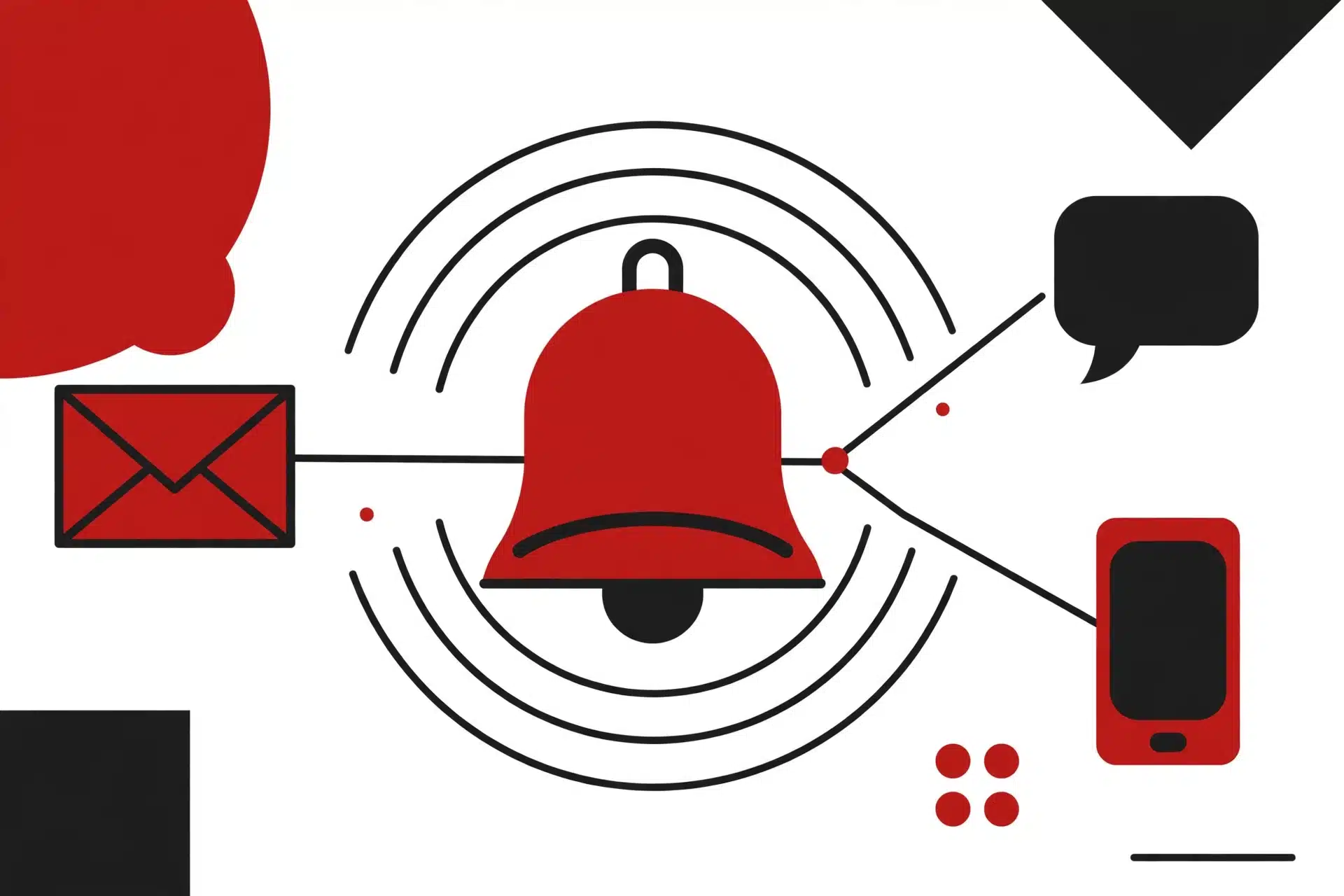
Your app needs to tell people things: an invoice was paid, a password reset was requested, a deployment finished, a trial expires in three days. In most frameworks that means a mailer here, a Slack webhook there, an SMS call somewhere else, and an in-app inbox bolted on last. Laravel notifications collapse all of that into one class per event. You write the message once, list the channels in a via() method, and Laravel delivers each channel independently — email, database, broadcast, Slack, and SMS — queued so none of them ever slows down a request.
This guide builds one notification from scratch and wires it to every channel, then covers the queueing, testing, and production mistakes that separate a working demo from a system you can trust. Everything here is verified against the official Laravel 13.x documentation on 15 November 2026.
What Laravel notifications actually are
A notification is a single class, usually in app/Notifications, that describes one event and how to express it on each channel. The class has a via() method that returns the channels, and one builder method per channel — toMail(), toDatabase(), toBroadcast(), toSlack(), toVonage() — that formats the message for that channel.
Mail, database, and broadcast ship with the framework. Slack needs laravel/slack-notification-channel and SMS needs laravel/vonage-notification-channel (plus Guzzle). Dozens more — Telegram, WhatsApp, Discord, web push — live in the community registry at laravel-notification-channels.com and follow the same shape.
The important design point: channels fail independently. A queued notification creates one job per recipient-and-channel combination, so a Slack outage never holds up the invoice email. Keep that in mind when you choose your channels — it is the whole reason to use notifications instead of firing off five separate calls.
Your first Laravel notification in 5 minutes
Generate the class:
php artisan make:notification InvoicePaidThat drops a fresh class into app/Notifications. Pass the data the message needs through the constructor, list the channels in via(), and write one builder per channel:
<?php

namespace App\Notifications;

use App\Models\Invoice;
use Illuminate\Bus\Queueable;
use Illuminate\Contracts\Queue\ShouldQueue;
use Illuminate\Notifications\Messages\MailMessage;
use Illuminate\Notifications\Notification;

class InvoicePaid extends Notification implements ShouldQueue
{
    use Queueable;

    public function __construct(public Invoice $invoice) {}

    public function via(object $notifiable): array
    {
        return $notifiable->prefers_sms
            ? ['vonage']
            : ['mail', 'database'];
    }

    public function toMail(object $notifiable): MailMessage
    {
        return (new MailMessage)
            ->subject('Invoice #'.$this->invoice->id.' paid')
            ->greeting('Hello!')
            ->line('Your invoice for $'.$this->invoice->amount.' has been paid.')
            ->action('View Invoice', url('/invoices/'.$this->invoice->id))
            ->line('Thank you for using our application!');
    }

    public function toArray(object $notifiable): array
    {
        return [
            'invoice_id' => $this->invoice->id,
            'amount' => $this->invoice->amount,
        ];
    }
}
Send it two ways. The Notifiable trait is already on your User model, and it works on any model:
$user->notify(new InvoicePaid($invoice));Or use the facade when you have many recipients:
use Illuminate\Support\Facades\Notification;

Notification::send($users, new InvoicePaid($invoice));

// Send immediately, even if the class implements ShouldQueue:
Notification::sendNow($developers, new DeploymentCompleted($deployment));
Notice via() receives the $notifiable. That is your per-user switchboard: check a preference column, a plan tier, or the severity of the event, and return a different channel list for each recipient. A paying customer gets email plus SMS; a free-tier user gets the in-app inbox only.
The mail channel, done properly
MailMessage gives you a small vocabulary — greeting(), line(), lineIf(), action(), error() — and Laravel renders it into a responsive HTML email with a plain-text counterpart. A few details worth knowing:
- Subject: by default it is the class name in Title Case —
InvoicePaidbecomes “Invoice Paid”. Set it explicitly with->subject()so your inbox preview says something useful. - Errors: call
->error()for failure notifications and the call-to-action button turns red instead of black. - Sender and mailer: override the from address with
->from(), pick a different mailer with->mailer('postmark'), and setnameinconfig/app.php— it is used in the header and footer of every notification email. - Attachments:
->attach('/path/to/file'),attachMany(),attachFromStorageDisk(), andattachData()all work, with display name and MIME type as options. - Full control: return a Blade view with
->view('mail.invoice.paid', [...]), or return a full Mailable fromtoMail()when the message outgrowsMailMessage.
For rich layouts, use Markdown mail notifications. Call ->markdown('mail.invoice.paid', ['url' => $url]) and publish the components with php artisan vendor:publish --tag=laravel-mail to customise them — the theme CSS lives in resources/views/vendor/mail/html/themes/default.css and is inlined automatically. Publish the plain notification templates with --tag=laravel-notifications instead.
One genuinely useful trick: preview a mail notification in the browser while you iterate, without sending anything. Return the MailMessage from a route and Laravel renders it:
Route::get('/preview/invoice-paid', function () {
    $invoice = Invoice::first();

    return (new InvoicePaid($invoice))
        ->toMail(User::first());
});
Routing is flexible too. The mail channel looks for an email property on the notifiable; define routeNotificationForMail() on the model to return a different address — or an address-and-name array — per notification.
The database channel: build the in-app inbox
The database channel stores each notification as a row in a notifications table — type, JSON payload, and a read_at timestamp — so you can render the bell icon every SaaS app needs. Set it up:
php artisan make:notifications-table
php artisan migrate
If your models use UUID or ULID primary keys, swap morphs for uuidMorphs or ulidMorphs in the generated migration. Then define toArray() (or toDatabase() if you want a different payload from the broadcast channel) returning a plain array. Keep the payload small and self-contained — ids and amounts, not whole models — because this JSON is what your frontend renders and what you will query later.
The Notifiable trait gives you three relationships, newest first: $user->notifications, $user->unreadNotifications, and $user->readNotifications. Marking as read is one call:
// One notification:
$notification->markAsRead();

// Everything unread, in one query:
$user->unreadNotifications()->update(['read_at' => now()]);
Two customisation hooks: databaseType() replaces the default type (the notification’s class name) with a short string like 'invoice-paid', and initialDatabaseReadAtValue() lets a notification arrive pre-read. And one piece of housekeeping the docs do not automate for you: the table grows forever. Prune old read notifications on a schedule — $user->notifications()->whereNotNull('read_at')->where('created_at', '<', now()->subDays(90))->delete() — or your inbox query gets slower every month.
Real-time with the broadcast channel
Add 'broadcast' to via() and the same notification reaches the browser live, over your existing broadcasting setup (Reverb or Pusher). Define toBroadcast() returning a BroadcastMessage, or skip it and Laravel broadcasts the toArray() payload. Broadcasts go out on a private channel named after the notifiable — App.Models.User.1 for user 1 — and every broadcast is queued, so a slow WebSocket never blocks the request.
Echo.private('App.Models.User.' + userId)
    .notification((notification) => {
        console.log(notification.type);
    });
React, Vue, and Svelte get a useEchoNotification hook that listens on the channel and leaves it automatically when the component unmounts. Pass a notification type (or array of types) as the third argument to filter. Customise the channel with receivesBroadcastNotificationsOn() on the model, and the broadcast type field with broadcastType() on the notification.
The winning combination is database plus broadcast: the database row is the durable record, the broadcast is the live nudge. Your frontend listens for the broadcast, then refetches the inbox from the database — no duplicated state, no missed notifications if the socket drops.
Slack and SMS: the two packages you install
Slack and SMS are first-party channels, but they live in separate packages:
composer require laravel/slack-notification-channel
composer require laravel/vonage-notification-channel guzzlehttp/guzzle
For Slack, define toSlack() returning a SlackMessage and route it with routeNotificationForSlack() on the notifiable, which returns the incoming webhook URL for that user or team. For SMS, define toVonage() returning a VonageMessage:
use Illuminate\Notifications\Messages\VonageMessage;

public function toVonage(object $notifiable): VonageMessage
{
    return (new VonageMessage)
        ->content('Your invoice #'.$this->invoice->id.' for $'.$this->invoice->amount.' was paid.');
}
Set VONAGE_KEY, VONAGE_SECRET, and VONAGE_SMS_FROM in your .env. Three details that catch people out: call ->unicode() when the message contains non-ASCII characters, override the sender per message with ->from(), and add ->clientReference((string) $notifiable->id) so Vonage can report SMS spend per user, team, or client. Route SMS with routeNotificationForVonage(), the same pattern as mail and Slack.
Reserve SMS for the messages that genuinely justify the cost — payment failures, security alerts, time-critical codes. Everything else belongs in email or the inbox. And remember the queueing point from the start: each channel is its own job, so a slow Vonage API call delays only the SMS, never the email.
Queueing: the part that saves your response times
Sending notifications can take time, especially when a channel makes an external API call. Add ShouldQueue and the Queueable trait — the make:notification generator already imports both — and delivery moves off the request:
class InvoicePaid extends Notification implements ShouldQueue
{
    use Queueable;
    // ...
}
Then use the queueing controls instead of bolting on workarounds later:
- Delays:
->delay(now()->addMinutes(10))on the instance, or pass an array for per-channel delays — email in 5 minutes, SMS in 10. DefinewithDelay()on the class to make the delays permanent. - Per-channel queues:
viaQueues()maps each channel to a queue name ('mail' => 'mail-queue'), andviaConnections()maps each to a connection ('database' => 'sync'so the inbox row lands instantly while the email waits for a worker). - Retries:
#[Tries(5)],#[Timeout(120)],#[MaxExceptions(3)], and#[FailOnTimeout]attributes on the class, orbackoff()andretryUntil()methods. The attributes are inherited by the queued job. - Rate limits: define a
middleware()method returningRateLimitedmiddleware per channel — one limiter for your Postmark mail, another for Slack — so a burst of notifications cannot exhaust a provider quota. - Encryption: add
ShouldBeEncryptedwhen the payload carries anything sensitive. The queued job payload is encrypted, so invoice amounts and reset tokens are not sitting in plain text in your queue backend. - Last-chance checks:
shouldSend($notifiable, $channel)runs on the worker, after the job is picked up — returnfalseand the notification is dropped. Use it when the world may have changed between dispatch and delivery, like an invoice that got refunded in the meantime.afterSending()runs after delivery with the channel’s response, which is where delivery logging belongs.
The afterCommit trap
This is the single most common production bug with queued notifications. If you dispatch a queued notification inside a database transaction, the worker can pick up the job before the transaction commits — and the model or row the notification depends on does not exist yet. The job fails, retries, and eventually lands in your failed-jobs table for a reason that looks like a code bug but is really a timing bug.
Fix it one of two ways. Set after_commit to true on your queue connection, or call afterCommit() when sending — or in the notification’s constructor, so every send site gets it:
$user->notify((new InvoicePaid($invoice))->afterCommit());Make it a rule: any notification dispatched inside a transaction gets afterCommit(). The five minutes this costs you now saves a debugging session where the notification “sometimes works”.
On-demand notifications: no user required
Sometimes the recipient is not a user in your database — a guest checkout email, an ops Slack channel, an admin phone number. Use the Notification facade’s route() method to specify ad-hoc routing before sending:
use Illuminate\Support\Facades\Notification;

Notification::route('mail', ['[email protected]' => 'Barrett Blair'])
    ->route('vonage', '5555555555')
    ->route('slack', '#ops-alerts')
    ->notify(new InvoicePaid($invoice));
Or pass several routes at once with routes(). The same notification class, the same via() and builders — only the destination changes. This is also the clean way to send admin alerts: one on-demand notification to the ops channel, no fake admin user in the database.
Test them like real code
Notifications are easy to test because the facade can be faked. Notification::fake() intercepts everything, and the assertions read like plain English:
use App\Notifications\OrderShipped;
use Illuminate\Support\Facades\Notification;

test('orders can be shipped', function () {
    Notification::fake();

    // Perform order shipping...

    Notification::assertSentTo([$user], OrderShipped::class);

    Notification::assertSentTo(
        $user,
        OrderShipped::class,
        ['order' => $order] // property values, strict-compared
    );

    Notification::assertSentToOnce($user, OrderShipped::class);
    Notification::assertSentTimes(WeeklyReminder::class, 2);
    Notification::assertCount(3);
    Notification::assertNothingSent();
});
Pass a closure to assertSentTo() for a truth test on the notification and its channels — assert the right order id, the right amount, the right channels. On-demand sends get their own assertions: assertSentOnDemand() and assertSentOnDemandOnce(), with a closure that can check the route address the notification was sent to.
One caveat: faking the facade means nothing is actually delivered, so a test that passes against the fake can still fail in production if a channel is misconfigured. Pair the fake-based tests with one smoke test per channel against a staging provider — Mailtrap for mail, a test Slack channel, a Vonage test number — and run it on deploy.
Custom channels in 20 lines
When no built-in or community channel fits — a voice call, a push provider, an internal webhook — write your own. A channel is a class with a send() method that receives the notifiable and the notification, and you return the class name from via():
<?php

namespace App\Notifications;

use Illuminate\Notifications\Notification;

class VoiceChannel
{
    public function send(object $notifiable, Notification $notification): void
    {
        $message = $notification->toVoice($notifiable);
        // Send $message to the $notifiable however you wish...
    }
}

// In your notification class:
public function via(object $notifiable): string
{
    return VoiceChannel::class;
}
The toVoice() method can return whatever object you like. That is the whole contract — which is why the community registry has dozens of channels and they all feel identical to use.
7 mistakes that only show up in production
- Sending synchronously. A notification without
ShouldQueuemakes the user wait for every external API call in every channel. Queue by default;sendNow()is the exception, not the rule. - Notifying inside a transaction without
afterCommit(). The worker reads a row that does not exist yet. Covered above — make it a rule. - Letting the notifications table grow forever. Prune read notifications on a schedule, or the bell-icon query gets slower every month.
- One channel list for every user.
via()receives the notifiable — use it. Respect preferences, plan tiers, and severity instead of blasting every channel to everyone. - Testing only with fakes.
Notification::fake()proves your code dispatches; it does not prove Slack accepts your webhook. Smoke-test each channel against a real provider on deploy. - Sensitive data in queued payloads. If the payload carries tokens or amounts, add
ShouldBeEncryptedso the queue backend does not hold them in plain text. - Using notifications for rich marketing email. Notifications are short, informational messages. When the email needs a designed layout, a Mailable is the right tool — and
toMail()can return one, so you do not have to choose between the two systems.
Notifications vs Mailables: which one?
Use a notification when one event fans out to several channels, or when the message is short and informational — receipts, alerts, reminders. Use a Mailable when the message is email-only and needs a designed layout, complex Blade components, or heavy customisation. The two are not rivals: toMail() can return a Mailable, so a notification can hand its email leg to the mail system while the database, broadcast, and Slack legs keep working exactly as before.
Start with one notification class, two channels, and a queue. Add channels when a real user asks for them, not before. That is the whole system — and it is enough to cover almost every “tell the user something happened” requirement your app will ever have.
Further Reading & References
- Laravel 13.x Notifications — official documentation — every method in this post, verified 15 November 2026.
- Laravel Notifications, One API for Email, Slack, and SMS — Laracopilot — a September 2026 walkthrough of the same multi-channel pattern.
- Laravel Multi-Channel Notifications (SMS, Slack, Database) — CosmicLearn — another complete guide with the dynamic
via()pattern. - How to Set Up Laravel Notification System via Email & Slack — Cloudways — the email-plus-Slack setup, step by step.
- Laravel Notification Channels — the community registry: Telegram, WhatsApp, Discord, web push, and dozens more.
- How to Run Laravel Queue Workers in Production with Supervisor (2026) — the worker setup your queued notifications depend on.
- Laravel Reverb: Real-Time Broadcasting Without Pusher’s Bill (2026) — the first-party WebSocket server behind the broadcast channel.
- Laravel Sanctum Setup: Complete Auth Guide (2026) — the auth layer your notification preferences and inbox endpoints sit behind.
Facts verified 15 November 2026 against the official Laravel 13.x notifications documentation. Laravel 13 is the current major version; the notification API shown here is stable across 12.x and 13.x.