On the morning of Wednesday, 21 October 2026, the Railway security breach turned thousands of developers’ calm workdays upside down. Railway detected anomalous activity in the systems that store customer environment variables, and its investigation indicates an unauthorised party may have accessed those encrypted variables — and, for some of them, obtained the decrypted contents. The official guidance is blunt: rotate everything now. If you host anything on Railway, this is your rotation runbook: what happened, what to rotate in what order, and the trap most developers are about to walk into.
All facts verified against Railway’s official disclosure and status page on 22 October 2026. The incident was still marked “Identified” (not resolved) as of 14:50 UTC on the 22nd — things below may have moved since. I have linked the sources so you can check the current state before you act.
What happened: the Railway security breach timeline
Railway’s own disclosure, titled “Security Disclosure: Wednesday October 21st”, says the company detected anomalous activity that morning involving the systems that store customer environment variables — the values that can hold your API keys, database credentials, and private registry credentials. The key sentence: “our investigation to date indicates that an unauthorized third party may have accessed encrypted environment variables and, for some of them, obtained the decrypted contents.”
Here is the timeline from Railway’s status page (all times UTC):
| When (UTC) | What happened |
|---|---|
| 21 Oct, 07:24 | Status incident opened: investigating |
| 21 Oct, 09:28 | Dashboard, API and CLI unavailable; new builds paused in all regions |
| 21 Oct, 19:15 | Staged re-enable plan announced: Enterprise, then Pro, Hobby, Free and Trial |
| 21 Oct, 20:19 | OAuth sessions invalidated — users forced to sign in again |
| 21 Oct, 21:59 | Security notice published; customers told to revoke all environment variables |
| 21 Oct, 22:10 | Railway starts rotating all storage bucket credentials platform-wide |
| 22 Oct, 01:22 | Thirteen follow-up rotation guides published (databases, cloud, GitHub, Stripe, AI providers) |
| 22 Oct, 03:32 | Builds restored for Enterprise workspaces |
| 22 Oct, 04:17 | All Railway API tokens invalidated — existing integrations break until new tokens are issued |
| 22 Oct, 06:29 | Builds available for Pro and Enterprise |
| 22 Oct, 14:50 | Pro/Enterprise near normal speed; Hobby, Free and Trial still being re-enabled |
Two things stand out. First, Railway believes this is “part of a series of attacks recently targeting platform companies with the aim of compromising AI inference providers”, and says it notified those upstream providers so keys could be revoked proactively. Second, no root cause has been formally named yet — so until a post-mortem lands, you should assume the cautious end of the range.
Do not wait for the email
Railway says its initial analysis suggests the impact “may be limited to a subset of users” — but the rotation advice is platform-wide. It will email confirmed-affected accounts directly, but as of publication that account-by-account review was still ongoing. Not receiving an email is not confirmation you are unaffected. Act as if you are in scope, because the cost of rotating is an afternoon and the cost of not rotating is everything in your stack.
The 20-minute rotation runbook
Rotate in order of how fast an attacker can spend your money. AI inference keys and cloud credentials go first; the database only you can reach goes last.
Step 0: Check whether your tier can build yet
Rotating secrets is only half the job — every service must be redeployed to pick up the new values, and builds are being restored in stages. As of 14:50 UTC on 22 October: Enterprise and Pro builds were running at near-normal speed; Hobby, Free and Trial were still being re-enabled. Check status.railway.com before you start, because a rotated secret with an unrestored build tier means a window where you know you are exposed and cannot fix it. Note the trap in the next section — it bites everyone.
Step 1: Rotate AI provider keys first
Railway itself framed the campaign as targeting AI inference providers, and it has notified upstream providers to revoke keys proactively. Inference keys are the most liquid credential an attacker can steal: they can be monetised instantly with unmetered model usage before your billing alert ever fires.
Open the dashboards for every AI provider whose key lived in Railway — OpenAI, Anthropic, xAI, OpenRouter, and any others — and rotate or revoke each key. Then check usage and billing for the last 48 hours for traffic you did not generate. Railway’s follow-up guides cover provider-specific checks; work through them. Set spend limits and billing alerts while you are in there, because that is the defence that actually bounds the damage next time.
Step 2: Regenerate your Railway database passwords — the supported way
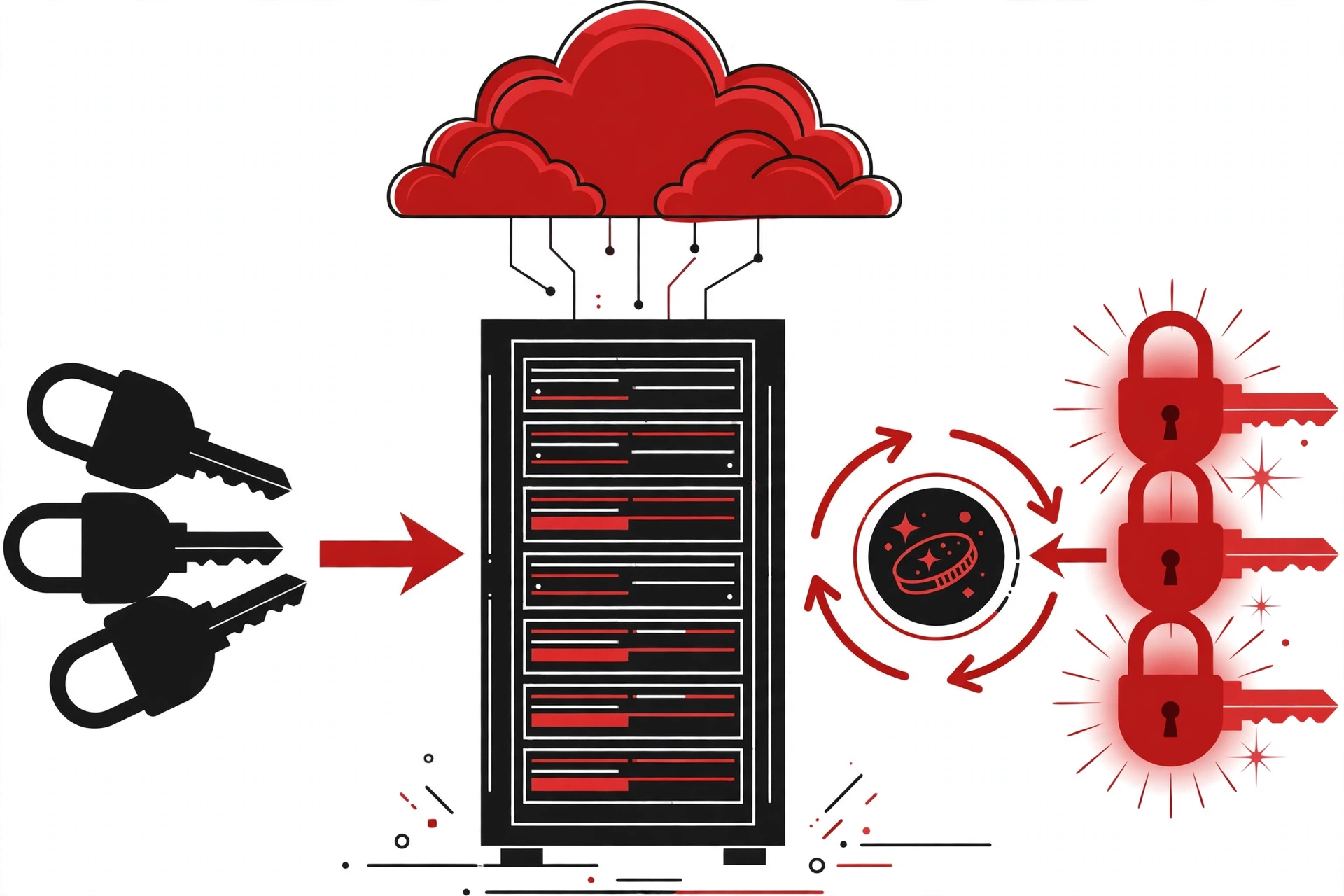
If you run PostgreSQL, MySQL, MongoDB or Redis on Railway, regenerate the password using Railway’s Regenerate control, not by editing the variable by hand. Railway’s own Postgres and MySQL guides are explicit about this:
- Open the database service, go to the Database tab, then Config.
- In the Connection section, click Regenerate next to the password. Railway changes the password inside the database and updates all the referencing variables (for Postgres:
POSTGRES_PASSWORD, and the templatePGPASSWORD,DATABASE_URL,DATABASE_PUBLIC_URLchange with it). - Railway restarts the database to apply the new password, so every open session drops — including any an attacker had open. That is the point.
Do not edit POSTGRES_PASSWORD or MYSQL_ROOT_PASSWORD by hand, and do not run ALTER USER yourself. Each changes only one side and leaves the variable and the database out of sync — which is exactly the state you are trying to escape. If a service pasted a connection string as a plain value instead of a reference like ${{ Postgres.DATABASE_URL }}, replace it with the reference now so the next rotation reaches it automatically.
Step 3: Roll every app environment variable and registry credential
Railway’s official instruction: “we strongly recommend that you immediately roll all environment variables, including any API keys, stored in Railway, as well as any private registry credentials, and review logs for those services for unusual activity.”
Go through every variable in every service — API keys, webhook secrets, SMTP credentials, session secrets, private container registry credentials. Rotate them at the provider, then update the Railway value. This includes Railway’s sealed variables: GitGuardian notes these cannot be read back from the UI, API or CLI, and the disclosure does not say whether they were in scope. Rotate them too; “cannot be read back” was never a guarantee they were untouched.
Step 4: Re-login, reconnect GitHub, and reissue every API token
Three separate invalidation waves have hit Railway users:
- 20:19 UTC, 21 Oct: OAuth sessions invalidated. You will simply be asked to sign in again — do it, and while you are at it, review your GitHub authorised applications and Railway-connected integrations. Railway’s follow-up guide covers checking GitHub security logs.
- 22:10 UTC, 21 Oct: Railway rotated all storage bucket credentials platform-wide. If your audit logs show bucket credential revocations by Railway staff, that is expected — but every service using a bucket must still be redeployed to pick up the new credentials.
- 04:17 UTC, 22 Oct: all Railway API tokens invalidated. If your CI pipelines, CLI scripts or third-party tools authenticate to Railway’s public API, those calls are now failing. Generate new tokens from your account settings and update every consumer.
Step 5: Redeploy everything — env vars only apply at startup
This is the step people forget. Containers read environment variables only at startup, so a rotated secret in the dashboard does nothing until the service is redeployed. Railway’s own guides repeat this in every rotation post:
# Redeploy each affected service from the Railway CLI
railway redeploy --service backend
railway redeploy --service worker
Alternatively, open each service’s latest deployment in the dashboard and select Redeploy. Redeploy every service that references a rotated database, a bucket, or any changed variable. Then confirm the new deployment actually works: a healthcheck that exercises the database fails a deploy with the wrong credential, so you catch a bad value before it takes traffic.
Step 6: Hunt for abuse, then check the spend
Now that the new credentials are live, verify the old ones were never used against you:
- Review Railway audit logs for unusual activity (retention depends on your plan — export what you need).
- Check every connected provider’s dashboard: AI provider usage logs, AWS/GCP CloudTrail, Stripe’s API logs, GitHub security logs. Look at the last 48 hours, not just today.
- If a service logs
InvalidAccessKeyIdorSignatureDoesNotMatchafter redeploy, it is running the old deployment or holds a pasted old value — chase it down. - Set billing alerts on every provider while you are in their dashboards. If you did not have them before, that is a lesson worth the outage.
The rotation trap: the one thing you could not control
Here is the uncomfortable part of this incident. You could not have prevented a platform-side breach — no secret-scanning, no .env hygiene, no clever tooling on your side stops an attacker inside Railway’s own variable store. And when engineers rushed to rotate and redeploy, they hit a wall: Railway had paused all builds and deployments worldwide.
This is the real lesson of the Railway security breach. Your platform stores your secrets and is the only thing that can deploy code using them, so a platform incident locks you out of both halves of the recovery at once. The developers who recovered in twenty minutes were the ones whose rotation was already boring: a single versioned source of truth for secrets the whole team pulls from, reference-style variable links instead of pasted values, and external backups of anything business-critical. The ones who spent two days were the ones discovering, in the middle of an incident, that they did not know every place a key had been copied to.
Make the next rotation boring
Once the smoke clears, do the unglamorous work so this is never a fire drill again:
- One secrets source. Keep the canonical copy of every secret outside any single platform — a team secrets manager or an encrypted versioned store — so rotation is a script, not an excavation.
- Reference, never paste. On Railway, use variable references (
${{ Postgres.DATABASE_URL }}) instead of pasted values, so a regeneration flows everywhere automatically. - Healthchecks that touch the database. A deploy-time check that exercises the database catches a stale credential before it takes traffic.
- Billing alerts everywhere. Inference keys and cloud accounts get usage alerts. This is what bounds the damage when you are not the one who finds the breach first.
- Know your escape hatch. Decide now, while you are calm, what you would do if your platform were down for a day: where would your data go, and what would you need to rebuild?
The Railway security breach is still developing — Railway’s incident was marked “Identified”, not resolved, as of 22 October. Keep an eye on the status page and the official disclosure for the post-mortem, and when it lands, read it the way you read a CVE: assume the same failure mode exists in every platform you use until proven otherwise.
Further Reading & References
- Security Disclosure: Wednesday October 21st — Railway’s official disclosure (Jacob Cooper). The primary source for the breach announcement.
- Security Disclosure Recommendation: Rotate PostgreSQL Database Credentials — Railway’s official guide; Regenerate, not hand-edit.
- Security Disclosure Recommendation: Rotate MySQL Database Credentials — Railway’s official MySQL rotation guide.
- Redeploy Buckets and Reconnect GitHub After the Credential Reset — Railway’s official bucket/GITHUB recovery guide.
- Railway Environment Variables Breach (October 2026): Rotate Your Secrets — Safeguard.sh timeline of the status page events.
- Railway Security Breach: What to Rotate Right Now — Pandromeda; sourced fact sheet from Railway’s status page and blog.
- New Railway Incident: Treat Every Env Variable as Exposed — GitGuardian’s take, including the sealed-variables note.
- railway redeploy | Railway Docs — the official CLI reference for redeploying services.
Related on HowToShipIt: GhostAction GitHub Attack: How to Check If Your Repos Are Compromised (2026) — the same “assume exposure, rotate, verify” playbook for a different kind of supply-chain incident — and CISA KEV October 2026: The Weekend Patch Triage for the discipline of patching in the right order.