What htmx actually is
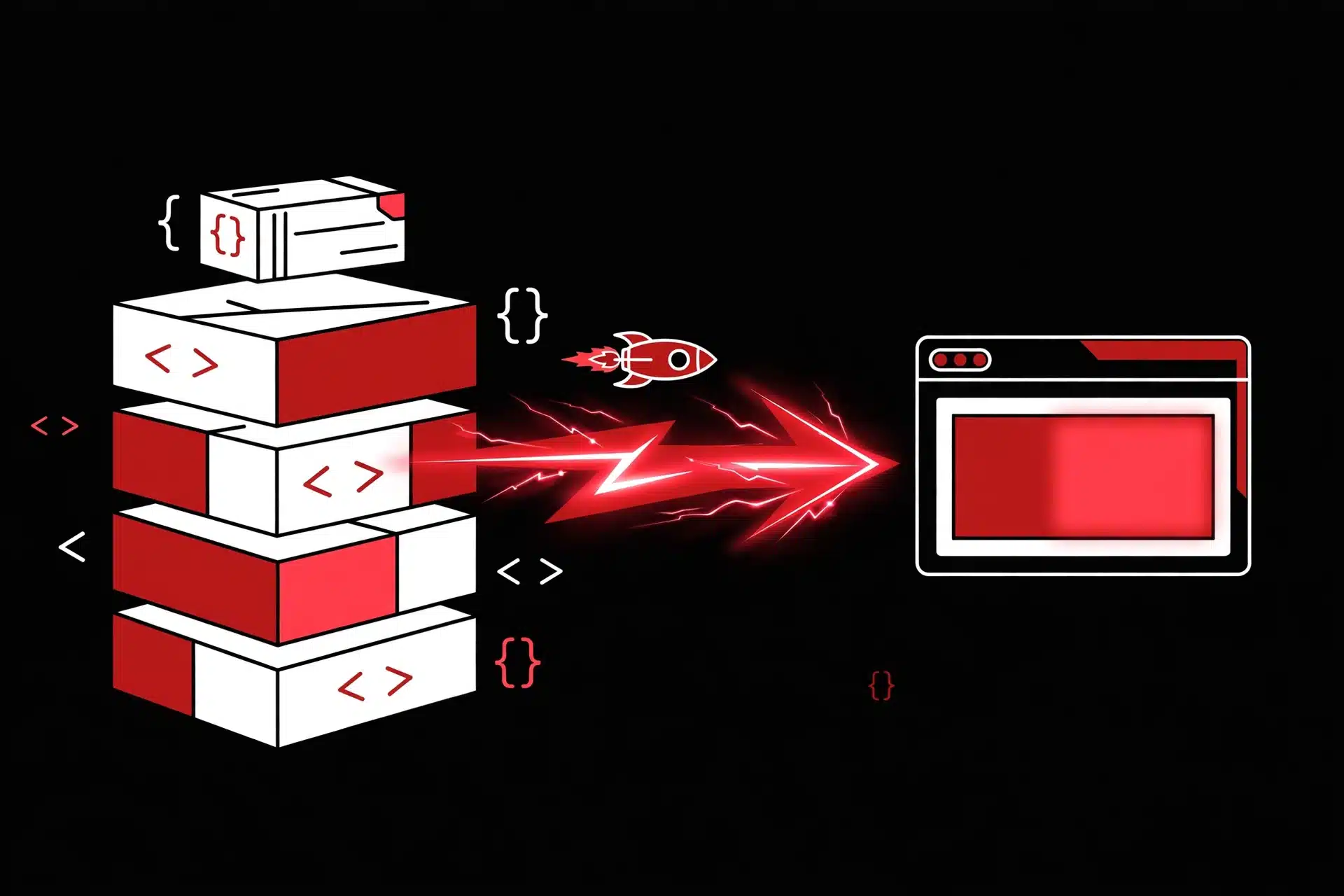
htmx Laravel projects start from a simple idea: your server already knows how to render HTML, so let it do the interactive parts too. htmx is a small, dependency-free JavaScript library — about 16 KB minified and gzipped — that adds a handful of attributes to plain HTML. Any element can then make an HTTP request and swap the response into part of the page, without a page reload and without you writing JavaScript.
A button that fetches fresh content looks like this:
<button hx-get="/products" hx-target="#results">
    Load products
</button>
Click it, htmx sends a GET request to /products, and the HTML that comes back replaces the contents of #results. That is the whole mental model. The server returns HTML, not JSON, and the browser never builds markup from data. If you already render Blade templates, you already have everything htmx needs on the server side.
The four attributes you will use constantly are:
| Attribute | What it does |
|---|---|
hx-get, hx-post, hx-put, hx-delete |
Which request to send, and to which URL |
hx-target |
Where the response goes (a CSS selector, this, or closest tr) |
hx-swap |
How the response goes in — innerHTML (the default), outerHTML, beforeend, delete, and more |
hx-trigger |
When the request fires — the natural event by default, or something like keyup changed delay:500ms |
Two more are worth knowing from day one. hx-boost turns ordinary links and forms into AJAX requests, so an existing server-rendered app gets SPA-style navigation almost for free. hx-push-url keeps the browser address bar and history in sync with the partial swaps, so the back button still works the way users expect.
Why htmx fits Laravel so well
Laravel is a server-rendered framework at heart. Blade already renders HTML, routes already return views, and Eloquent already fetches the data. htmx slots into that stack without asking you to change any of it. There is no build step, no JSON API to maintain alongside your web routes, and no second codebase in a JavaScript framework. The first page load is full server-rendered HTML, which search engines can read — a real advantage over a client-rendered app for content pages and admin panels alike.
It also matches how most Laravel apps actually grow. You start with a plain Blade CRUD app, then one page needs live search, another needs inline editing, and a third needs a delete button that does not reload the page. htmx lets you add each interaction to the page you already have, one attribute at a time, instead of rewriting the page as a JavaScript app. If the interaction later outgrows htmx, you have lost nothing: the routes and Blade views are still there.
That is also why htmx is not a replacement for Livewire or Inertia. It is a smaller, dumber tool — deliberately. You will compare the three properly later in this guide.
htmx 4 is out — and most Laravel tutorials are now out of date
htmx 4.0.0 shipped on 28 August 2026, and it is the first major version since htmx 2.0. Most Laravel + htmx tutorials online were written for htmx 1.9 or 2.0, and several of their code samples now behave differently. The htmx team is rolling the new version out slowly: on npm, the 2.x line keeps the latest tag until early 2027, and 4.0 sits under the next tag so nobody upgrades by accident. htmx 2 will be supported in perpetuity, so there is no pressure to move — but if you start a new project today, start on 4.0.
These are the changes that matter to a Laravel developer:
| Change | htmx 2 | htmx 4 |
|---|---|---|
| Transport | XMLHttpRequest |
fetch(), with native streaming of the response |
| Attribute inheritance | Many attributes inherited from parent elements by default | Nothing inherits unless you add the :inherited modifier, for example hx-confirm:inherited |
| Error responses | 4xx and 5xx responses were not swapped into the page |
Every response is swapped except 204 and 304; use the new hx-status attribute for per-status behaviour |
| Events | htmx:beforeRequest, htmx:configRequest, htmx:afterSwap |
Renamed to a htmx:phase:action pattern: htmx:before:request, htmx:config:request, htmx:after:swap |
| History | Page snapshots stored in localStorage for back-button navigation |
Back navigation re-fetches the page from the server; the hx-history-cache extension restores the old behaviour if you want it |
| Timeouts | Requests could hang forever | Requests time out after 60 seconds by default (htmx.config.defaultTimeout) |
| Swaps | Morphing needed the Idiomorph extension | Morph swaps are built in: innerMorph and outerMorph |
| Partials | Out-of-band swaps only, via hx-swap-oob |
Out-of-band swaps plus the clearer <hx-partial> element — one response can update several targets |
Two smaller renames catch people out. hx-disable used to mean “do not process this element”; in htmx 4 that job moves to hx-ignore, and hx-disable now disables elements during a request (the old hx-disabled-elt job). And hx-ext is gone — extensions load by including their scripts directly. There is an official htmx-2-compat extension that restores version 2 defaults and event names on htmx 4 if you need a staged migration, plus an upgrade checker that flags the mechanical changes in your markup.
The practical upshot for this guide: every code sample below is written for htmx 4, and where htmx 2 differs, the difference is called out. Pin your version — do not load htmx from an unversioned CDN URL, or the day 4.0 becomes latest your app silently changes major versions.
Set up htmx in a Laravel app
There are two ways to load htmx. The CDN route is one line in your layout, and it is the right choice while you are learning. Pin the exact version:
<!-- htmx 4.0.0 -->
<script src="https://cdn.jsdelivr.net/npm/htmx.org@4.0.0/dist/htmx.min.js"></script>
If you would rather stay on the 2.x line for now, the current release is 2.0.11:
<!-- htmx 2.0.11 -->
<script src="https://cdn.jsdelivr.net/npm/htmx.org@2.0.11/dist/htmx.min.js"
        integrity="sha384-2OatzQy1H+Zd/IIrjr1TcuDGqLXeHhbooAyJY1KdQMKnr4LZ22k31GBLdYKHmVjg"
        crossorigin="anonymous"></script>
For production, install it through npm (npm install htmx.org@4.0.0) and bundle it with Vite like any other dependency, so your build is reproducible and works offline. Either way, put the script in your main Blade layout — resources/views/layouts/app.blade.php — so every page gets it.
There is also a community package, imsus/laravel-htmx, that wires htmx 4 into Laravel with an installer (php artisan htmx:install), a Blade @fragment helper and response helpers for partials and out-of-band swaps. It is optional — everything in this guide works with plain htmx and plain Laravel — but it is worth knowing about if you want the integration pre-packaged.
The one pattern to learn: one route, two answers
Every htmx request carries the header HX-Request: true. Your controller checks for it and returns a Blade partial when it is present, or the full page when it is not. One route serves both the first visit and every later interaction, which is what makes the pattern so pleasant: a normal browser navigation and an htmx swap hit the same code.
use Illuminate\Http\Request;

Route::get('/products', function (Request $request) {
    $products = Product::orderBy('name')->get();

    if ($request->header('HX-Request')) {
        return view('products.partials.results', ['products' => $products]);
    }

    return view('products.index', ['products' => $products]);
});
The full page includes the partial, so the first load and the swapped content are rendered from the same template — they can never drift apart:
<!-- resources/views/products/index.blade.php -->
<div id="results">
    @include('products.partials.results', ['products' => $products])
</div>
Laravel also has a built-in fragment feature that keeps the page and the fragment in a single file. The @fragment Blade directive marks a section of a view, and $view->fragment('name') renders just that section:
Route::get('/team', function (Request $request) {
    $members = Member::orderBy('name')->get();
    $view = view('team', ['members' => $members]);

    return $request->header('HX-Request')
        ? $view->fragment('member-list')
        : $view;
});
<!-- resources/views/team.blade.php -->
@fragment('member-list')
<ul id="member-list">
@foreach ($members as $member)
<li>{{ $member->name }}</li>
@endforeach
</ul>
@endfragmentOne caching note: if a CDN or browser cache sits in front of a route that answers differently based on the HX-Request header, add Vary: HX-Request to the response, or the cache will serve the fragment to a normal visitor — or the full page to htmx.
Build it: live search, add, and delete
With the pattern in place, the classic interactions are short. Start with live search. The input asks for results on every keystroke, debounced by 500 milliseconds, and swaps them into the results container:
<input type="search" name="q" placeholder="Search products..."
       hx-get="{{ route('products.index') }}"
       hx-target="#results"
       hx-trigger="keyup changed delay:500ms, search">

<div id="results">
    @include('products.partials.results', ['products' => $products])
</div>
The controller filters by the search term and returns the partial for htmx requests, exactly as in the pattern above. Note the changed modifier: without it, htmx fires on every keystroke even when the value has not changed. The search event covers the clear button on search inputs.
Adding a record is a form that posts without reloading. The form carries the usual @csrf token — htmx submits real forms, so Laravel’s CSRF protection works exactly as it does without htmx:
<form hx-post="{{ route('products.store') }}"
      hx-target="#results"
      hx-swap="outerHTML">
    @csrf
    <input type="text" name="name" placeholder="Product name" required>
    <button type="submit">Add product</button>
</form>
After the record is created, the server can tell the browser to refresh the list by sending an HX-Trigger response header. The list element listens for that event and re-fetches itself:
public function store(Request $request)
{
    $product = Product::create($request->validate([
        'name' => ['required', 'string', 'max:255'],
    ]));

    return response($product, 200, ['HX-Trigger' => 'products-changed']);
}
<div id="results"
hx-get="{{ route('products.index') }}"
hx-trigger="products-changed from:body">
@include('products.partials.results', ['products' => $products])
</div>Delete is a button with a confirmation and no form at all. The delete swap removes the row from the page once the server answers:
<button hx-delete="{{ route('products.destroy', $product) }}"
        hx-confirm="Delete this product?"
        hx-target="closest tr"
        hx-swap="delete">
    Delete
</button>
Because the button is not inside a form, it needs a CSRF token another way — which brings us to the part most Laravel developers get wrong first.
CSRF tokens: the three ways that work
Laravel rejects state-changing requests without a valid CSRF token, and htmx requests are no exception. A request that works in the browser and fails with a 419 Page Expired response is almost always a missing token. There are three reliable ways to send it.
1. The form token. Inside a form, the ordinary @csrf directive works — htmx serialises the form fields, including the hidden _token input, exactly like a normal submit. This is the easiest option and the one to reach for first.
2. A header on the whole page. For buttons and links that are not inside a form — like the delete button above — put the token in a header on the <body> tag. Here is where the htmx 4 change bites: in htmx 2, attributes on a parent were inherited by children automatically, so a plain hx-headers on <body> reached every element on the page. In htmx 4, inheritance is explicit, and the upgrade checker specifically flags a CSRF token set this way. Add the :inherited modifier:
<body hx-headers:inherited='{"X-CSRF-TOKEN": "{{ csrf_token() }}"}'>On htmx 2, the same line without the modifier is correct. Mixing them up is the single most common cause of 419 errors after an upgrade.
3. A JavaScript listener. If you would rather keep tokens out of your markup, attach the token to every request in a listener. The event was renamed in htmx 4, so use the new name:
<meta name="csrf-token" content="{{ csrf_token() }}">

<script>
document.body.addEventListener('htmx:config:request', (event) => {
    event.detail.headers['X-CSRF-TOKEN'] =
        document.querySelector('meta[name="csrf-token"]').content;
});
</script>
In htmx 2 the event is called htmx:configRequest. Pick one approach and use it consistently — a token set in two places is a debugging session waiting to happen.
Validation errors without a page reload
Form validation is where the htmx 2 and htmx 4 behaviour visibly differs, so get the version right. In htmx 4, error responses are swapped into the target by default — a 422 response is treated like any other response. That makes inline validation straightforward: on failure, return the form partial with the errors and a 422 status, and htmx swaps it in place of the form.
use Illuminate\Validation\ValidationException;

public function store(Request $request)
{
    try {
        $validated = $request->validate([
            'name' => ['required', 'string', 'min:3', 'max:255'],
            'email' => ['required', 'email'],
        ]);
    } catch (ValidationException $e) {
        return response(
            view('products.partials.form', ['errors' => $e->errors()]),
            422
        );
    }

    Product::create($validated);

    return response('Created', 200, ['HX-Trigger' => 'products-changed']);
}
The form partial renders the errors next to the fields, using the same $errors variable Blade gives you in a normal request. In htmx 2, a 422 response is not swapped by default, so the same code leaves the old form on screen and fires an error event instead — one more reason to know which major version you are running before you copy a validation pattern from a tutorial.
htmx vs Livewire vs Inertia: which one, when
All three let you build interactive Laravel apps without writing a JavaScript application, but they solve different problems. Picking the wrong one is how a simple admin panel ends up with a build pipeline it never needed.
| htmx | Livewire | Inertia | |
|---|---|---|---|
| What it is | A ~16 KB library; routes return HTML fragments | A full-stack framework; PHP component classes with state synced to the browser | A SPA adapter; Vue or React pages with server-side routing |
| Where the logic lives | Routes and controllers, as usual | Component classes, with public properties as state | Controllers plus Vue/React components |
| Build step | None | None (unless you add one) | Yes — Vite and a JS framework |
| Best for | Enhancing server-rendered pages: search, inline edit, toggles, pagination | Reactive components in PHP: dashboards, wizards, complex forms | App-like experiences with client-side routing and shared state |
| Watch out for | Complex client-side state gets awkward fast | State sync round-trips on every interaction | You are maintaining a JavaScript app after all |
The honest rule of thumb: if the page is mostly server-rendered and you want a few interactions, use htmx. If you want reactive components and would rather write them in PHP than JavaScript, use Livewire — the blog’s Laravel Livewire guide covers version 4 in full. If the whole app needs to feel like a single-page app, use Inertia — see the Inertia.js forms and validation guide for the form patterns. The three can coexist in one project, and many real apps use htmx for admin screens and Inertia for the customer-facing app.
7 mistakes Laravel developers make with htmx
1. Loading htmx from an unversioned URL. htmx.org@latest currently resolves to the 2.x line, but 4.0 becomes latest in early 2027. Pin @2.0.11 or @4.0.0 and upgrade on your own schedule.
2. Setting the CSRF token on <body> without :inherited in htmx 4. The token silently stops reaching nested elements, and every delete button starts returning 419. See the CSRF section above.
3. Returning the full page for partial requests. Forgetting the HX-Request check means htmx swaps an entire HTML document — layout, navigation and all — into your results container. Branch on the header in every route that serves a partial.
4. Forgetting Vary: HX-Request. Behind a CDN or a caching proxy, a cached fragment can be served to a normal visitor, or a cached full page to htmx. One header prevents both.
5. Treating HX-Request as security. Anyone can send that header with curl. Partial routes need the same treatment as API routes: auth middleware, authorisation checks, and throttling. Never render a view by URL without restricting which views are reachable — the one-route-per-partial pattern in this guide is the safe shape.
6. Copying an htmx 2 error-handling pattern onto htmx 4 — or the reverse. In htmx 2, error responses are not swapped; in htmx 4, they are. Test your 404, 422 and 500 paths on the version you actually run.
7. Relying on form inputs inside an hx-delete button. In htmx 4, hx-delete no longer includes inputs from its enclosing form. If your delete relied on a hidden input, pass the value in the URL or a header instead.
When htmx is the wrong tool
htmx is a poor fit when the browser needs to own complex state: a drag-and-drop kanban board, an offline-first app, a collaborative editor, or a data visualisation with thousands of interactive points. It is also the wrong choice when the interaction itself is the product — a code editor, a design tool, a game. In those cases the round-trip to the server on every keystroke is the bottleneck, and a JavaScript framework earns its weight.
Real-time updates deserve a mention too. htmx supports Server-Sent Events and WebSockets, so a live feed or a notification badge is fine. But if two users are editing the same record simultaneously, you need conflict resolution on the client, and that is not a hypermedia problem any more.
For everything else — the admin panel, the dashboard, the settings pages, the internal tools that make up most of what Laravel developers actually ship — htmx removes a whole layer of complexity. Your routes stay routes, your views stay views, and the interactive parts are attributes on the HTML you were already writing.
Verified 21 November 2026 against the official htmx documentation and the sources below. htmx 4.0.0 was released 28 August 2026; Laravel 13 is the current major version.
Further Reading & References
- htmx — official site — the htmx 4.0 release notice, the 2.0.11 quick-start snippet, and the full documentation.
- The fetch()ening — htmx.org — Carson Gross on why htmx 4 exists, the move to fetch, explicit inheritance, and the end of localStorage history.
- htmx 4.0 Just Shipped: What Changed, What Breaks, and How to Migrate — dev.to — the fetch rewrite, renamed events, the 60-second timeout, and the CSRF inheritance trap.
- HTMX 4.0: Hypermedia finds a new gear — InfoWorld — native streaming, Idiomorph morph swaps built into the core, and the history change.
- Getting Started with HTMX in Laravel — Laravel.io — the CRUD walkthrough this guide’s search, create, and HX-Trigger patterns are based on.
- Laravel with HTMX: Use Blade Partials as Your API — Raheel Shan — the partials-as-API pattern and the four production security rules.
- HTMX vs Livewire: Which One Should You Use in Laravel? — Raheel Shan — the same live search built both ways, side by side.
- HTMX Server Setup: Fragments, CSRF and XSS Safety — Tutorials Center — the HX-Request header, the Blade
@fragmentpattern, and theVary: HX-Requestcaching note.