If you can write a migration but still reach for DB::table() the moment two tables need to talk to each other, you are leaving most of Eloquent on the table. Laravel Eloquent relationships turn foreign keys into readable methods — $user->posts, $post->author, $post->tags — so your models describe your data the way you think about it, and the queries underneath stay fast.
This guide covers every relationship type Laravel 13 ships, with working code you can paste into a real app: one-to-one, one-to-many, many-to-many, has-through, has-one-of-many, and polymorphic relationships. Then the parts most tutorials skip — querying relations, eager loading, the N+1 problem, and the seven mistakes that quietly break production apps. All examples are verified against the official Laravel 13.x documentation on 24 November 2026.
The example app we will build
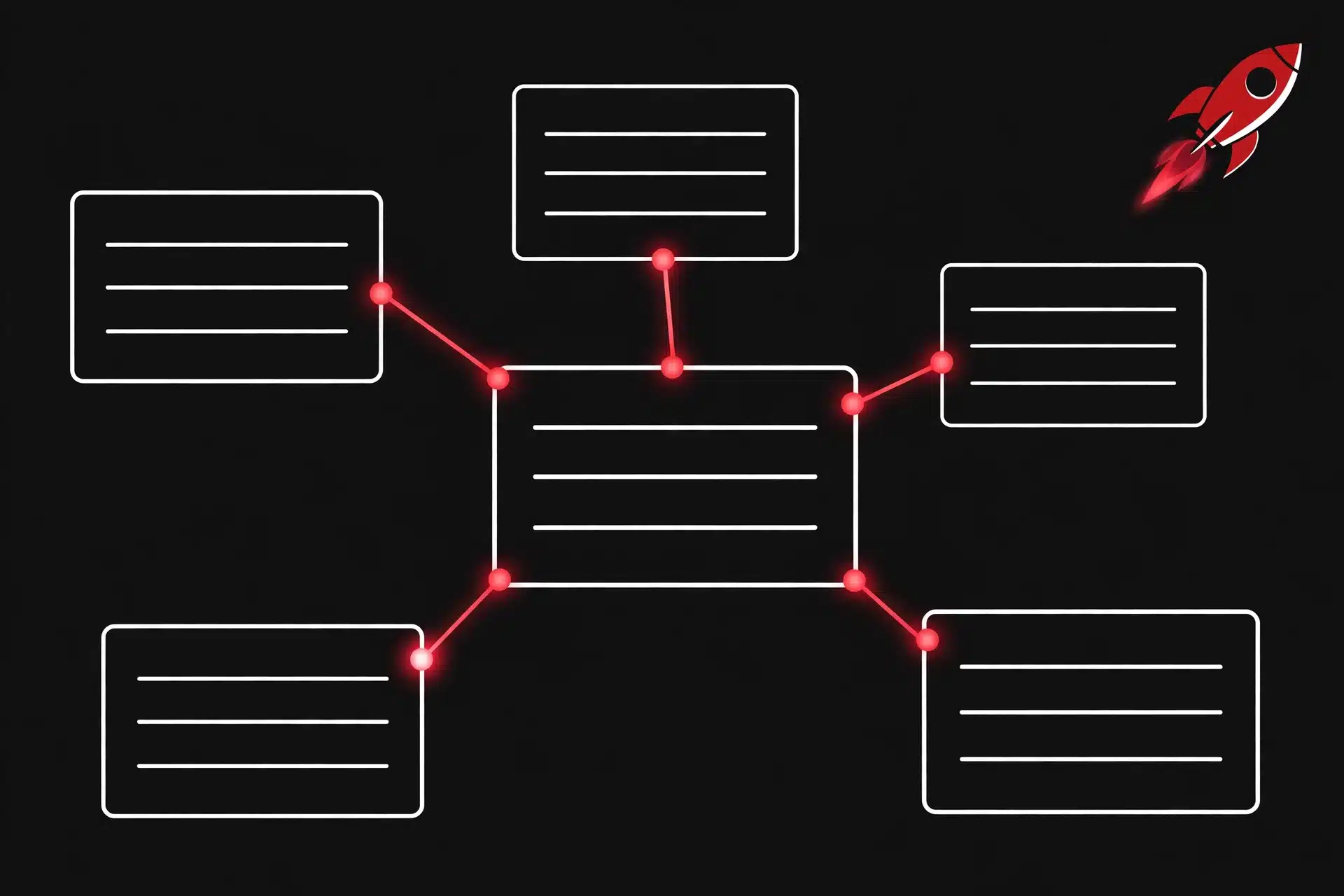
Every example in this guide comes from one small blog app, so the relationships connect into something realistic:
- User — has one Profile, has many Posts, has many Comments.
- Post — belongs to a User, has many Comments, belongs to many Tags.
- Comment — belongs to a Post and to a User.
- Tag — belongs to many Posts.
- Image — polymorphic: a Post or a User can both have images.
Create the models and migrations in one command each:
php artisan make:model Post -m
php artisan make:model Comment -m
php artisan make:model Tag -m
php artisan make:model Profile -m
php artisan make:model Image -m
The -m flag creates the migration alongside the model. The foreign keys go in the migrations, and that is where most relationship bugs are born — get the columns right first and the model methods almost write themselves.
How Eloquent guesses your foreign keys
Eloquent relationships work on convention. If you follow the naming rules, you never have to tell Laravel which column links two tables:
| Relationship method | Foreign key Eloquent expects | Where the key lives |
|---|---|---|
hasOne / hasMany |
snake_case parent model + _id |
child table |
belongsTo |
relationship method name + _id |
current model’s table |
belongsToMany |
pivot table, alphabetical singular names | pivot table |
So a Post model’s comments() relationship expects a post_id column on the comments table, and a Comment model’s post() relationship looks for the same column — because the method is called post. Break the naming, and you must pass the column name yourself as the second argument, for example hasMany(Comment::class, 'article_id'). Follow the convention and you will rarely need that argument.
One-to-one: hasOne and belongsTo
One user has one profile. The profile table carries the foreign key, so the relationship is defined on both sides:
<?php

namespace App\Models;

use Illuminate\Database\Eloquent\Model;
use Illuminate\Database\Eloquent\Relations\HasOne;

class User extends Model
{
    public function profile(): HasOne
    {
        return $this->hasOne(Profile::class);
    }
}
<?php
namespace App\Models;
use Illuminate\Database\Eloquent\Model;
use Illuminate\Database\Eloquent\Relations\BelongsTo;
class Profile extends Model
{
public function user(): BelongsTo
{
return $this->belongsTo(User::class);
}
}Read the relation like a property and Eloquent runs the query for you:
$bio = User::find(1)->profile->bio;Two details matter here. First, the return type (: HasOne, : BelongsTo) is not decoration — forget the return statement and Laravel throws a type error telling you exactly what happened. Second, belongsTo can return null when no related row exists, which means $post->author->name can blow up on an orphaned post. The fix is withDefault(), which returns an empty model instead of null:
public function author(): BelongsTo
{
    return $this->belongsTo(User::class, 'user_id')->withDefault([
        'name' => 'Guest Author',
    ]);
}
Use it on any belongsTo, hasOne, hasOneThrough or morphOne relationship where a missing parent should degrade gracefully instead of crashing a page.
One-to-many: hasMany and belongsTo
This is the relationship you will define most. One post has many comments:
// app/Models/Post.php
use Illuminate\Database\Eloquent\Relations\HasMany;

public function comments(): HasMany
{
    return $this->hasMany(Comment::class);
}

// app/Models/Comment.php
use Illuminate\Database\Eloquent\Relations\BelongsTo;

public function post(): BelongsTo
{
    return $this->belongsTo(Post::class);
}
The migration for the child table is where the link is made real:
Schema::create('comments', function (Blueprint $table) {
    $table->id();
    $table->foreignId('post_id')->constrained()->cascadeOnDelete();
    $table->foreignId('user_id')->constrained()->cascadeOnDelete();
    $table->text('body');
    $table->timestamps();
});
foreignId()->constrained() creates the column and the database-level foreign key constraint in one line, and cascadeOnDelete() means deleting a post deletes its comments at the database level — no orphaned rows, no cleanup job.
Property access vs method access
This distinction catches almost every Laravel beginner at least once:
$post->comments;    // property: runs the query, returns a Collection
$post->comments();  // method: returns a query builder you can chain
Use the property when you want the records. Use the method when you want to filter, order, or count before fetching:
$latest = $post->comments()->latest()->take(5)->get();
$count  = $post->comments()->count();
Calling ->create() on a collection ($post->comments->create(...)) fails — collections have no create method. Call it on the relationship method instead, and Eloquent fills the foreign key for you:
$post->comments()->create([
    'user_id' => auth()->id(),
    'body'    => 'Great post!',
]);
// post_id is set automatically — do not put it in $fillable
The same applies to save() for a single model and saveMany() / createMany() for several at once. To move a child to a different parent, use associate() and dissociate() on the belongsTo side:
$comment->post()->associate($newPost);
$comment->save();

$comment->post()->dissociate();
$comment->save(); // post_id is now null
Many-to-many: belongsToMany and pivot tables
Posts have many tags, and tags belong to many posts. Neither table can hold the foreign key, so a pivot table sits between them. By convention the pivot table name is the two model names in alphabetical order, singular, joined with an underscore: post_tag.
Schema::create('post_tag', function (Blueprint $table) {
    $table->id();
    $table->foreignId('post_id')->constrained()->cascadeOnDelete();
    $table->foreignId('tag_id')->constrained()->cascadeOnDelete();
    $table->timestamps();
});
// app/Models/Post.php
use Illuminate\Database\Eloquent\Relations\BelongsToMany;
public function tags(): BelongsToMany
{
return $this->belongsToMany(Tag::class)->withTimestamps();
}
// app/Models/Tag.php
public function posts(): BelongsToMany
{
return $this->belongsToMany(Post::class)->withTimestamps();
}If your pivot table carries extra data — say, who attached the tag and when — declare it with withPivot() and read it from the pivot attribute:
return $this->belongsToMany(Tag::class)
    ->withPivot('added_by')
    ->withTimestamps();

// $post->tags[0]->pivot->added_by
Attaching and detaching is one method call each:
$post->tags()->attach([1, 2]);                 // add tags 1 and 2
$post->tags()->attach(3, ['added_by' => 7]);   // with pivot data
$post->tags()->detach(2);                      // remove tag 2
$post->tags()->sync([1, 3]);                   // exactly tags 1 and 3 — detaches the rest
$post->tags()->syncWithoutDetaching([4]);      // add tag 4, keep the rest
$post->tags()->toggle([1, 2]);                 // attach what's missing, detach what's there
The one to memorise is sync(): it sets the exact final state, detaching anything not in the list. That is exactly what you want for a tag-editing form, and exactly what you do not want when you only meant to add one row — use syncWithoutDetaching() for that. You can also filter and order by pivot columns with wherePivot(), wherePivotIn() and orderByPivot(), and if a pivot row needs its own behaviour, define a custom pivot model with ->using(TagPost::class) on the relationship.
Has-one-through and has-many-through
Sometimes you need a record two hops away. A country has many users, and each user has many posts — so a country has many posts through its users:
// app/Models/Country.php
use Illuminate\Database\Eloquent\Relations\HasManyThrough;

public function posts(): HasManyThrough
{
    return $this->hasManyThrough(Post::class, User::class);
}
The first argument is the model you want at the end of the chain, the second is the model in the middle. hasOneThrough works the same way for a single record at the end — the classic example is a mechanic who has one car, and that car has one owner, so the mechanic has one owner through the car. These relationships are read-only shortcuts for querying; you cannot create records through them.
Has one of many: latestOfMany, oldestOfMany, ofMany
A user has many orders, but you want the most recent one as a first-class relationship. That is what the ofMany family is for:
public function latestPost(): HasOne
{
    return $this->hasOne(Post::class)->latestOfMany();
}

public function firstPost(): HasOne
{
    return $this->hasOne(Post::class)->oldestOfMany();
}

public function mostLikedPost(): HasOne
{
    return $this->hasOne(Post::class)->ofMany('likes_count', 'max');
}
latestOfMany() and oldestOfMany() sort by the primary key by default. ofMany() takes a sortable column and an aggregate — min or max — so ofMany('price', 'max') returns the most expensive related record. If you already have a hasMany relationship defined, convert it with ->one() instead of defining a second relationship:
public function latestPost(): HasOne
{
    return $this->posts()->one()->latestOfMany();
}
Polymorphic relationships
Polymorphic relationships are for the case where one model can belong to several different models. In our blog, an Image can belong to a Post or to a User. Instead of a post_id column and a user_id column, the images table stores two columns: imageable_id and imageable_type. The type column stores the class name of the owner.
Schema::create('images', function (Blueprint $table) {
    $table->id();
    $table->morphs('imageable'); // creates imageable_id + imageable_type
    $table->string('path');
    $table->timestamps();
});
// app/Models/Post.php
use Illuminate\Database\Eloquent\Relations\MorphMany;
public function images(): MorphMany
{
return $this->morphMany(Image::class, 'imageable');
}
// app/Models/Image.php
use Illuminate\Database\Eloquent\Relations\MorphTo;
public function imageable(): MorphTo
{
return $this->morphTo();
}$image->imageable returns whichever model owns it — a Post or a User. The same pattern gives you morphOne (one image per owner) and morphToMany (tags that can attach to posts, videos, and anything else, through one pivot table). One production tip: storing full class names in imageable_type means renaming a model breaks every existing row. Register short aliases with a morph map in AppServiceProvider::boot():
use Illuminate\Database\Eloquent\Relations\Relation;

Relation::enforceMorphMap([
    'post' => Post::class,
    'user' => User::class,
]);
With enforceMorphMap, Eloquent only resolves the aliases you registered, so a tampered imageable_type value cannot make it instantiate an arbitrary class.
Querying relationships
Relationships are query builders, so you can filter by them without loading anything:
// Posts that have at least one approved comment
Post::whereHas('comments', fn ($q) => $q->where('approved', true))->get();

// Posts with no comments at all
Post::whereDoesntHave('comments')->get();

// Users with more than 10 published posts
User::whereHas('posts', fn ($q) => $q->where('published', true), '>=', 10)->get();

// Shorter form when there is no extra condition
Post::whereRelation('author', 'active', true)->get();
When you only need a number, do not load the related models at all. withCount() adds a {relation}_count attribute with a single subquery:
$posts = Post::withCount('comments')->get();
// $post->comments_count — no comment models loaded

$posts = Post::withCount(['comments', 'tags'])
    ->withSum('comments', 'likes')
    ->withAvg('comments', 'rating')
    ->orderByDesc('comments_count')
->get();withSum, withAvg, withMax and withMin work the same way. Reaching for $post->comments->count() inside a loop loads every comment just to count it — withCount() is the fix, every time.
Eager loading and the N+1 problem
The N+1 problem is the most common performance bug in Laravel apps, and relationships are where it lives. This loop looks harmless:
$posts = Post::all(); // 1 query

foreach ($posts as $post) {
    echo $post->author->name; // +1 query per post
}
// 100 posts = 101 queries
Each $post->author access lazy-loads the author with its own query. Eager loading with with() fetches all authors in one extra query, whatever the list size:
$posts = Post::with('author')->get(); // 2 queries, always

// Nested chains use dot notation — 3 queries for three levels
$users = User::with('posts.comments')->get();

// Constrain what gets eager loaded
$posts = Post::with(['comments' => fn ($q) =>
    $q->where('approved', true)->latest()->take(10)
])->get();

// Load relations on models you already have
$posts = Post::all();
$posts->load('author');
$posts->loadMissing('comments'); // skips relations already loaded
Two traps hide in eager loading. The first is the column-selection rule: when you limit columns with the colon syntax, you must include both the primary key and the foreign key, or Eloquent cannot match the records back together:
// Correct: id and user_id are both present
Post::with('author:id,name')->get();
// The author query selects id and name, and Eloquent matches on id.
// If the parent side needs it, include the foreign key too:
// Post::select('id', 'title', 'user_id')->with('author:id,name')->get();
The second trap is subtler: eager loading a hasMany does not hydrate the parent back onto each child. Looping through $post->comments and reading $comment->post->title fires one query per comment. Add ->chaperone() to the hasMany definition and Eloquent hydrates the parent automatically:
public function comments(): HasMany
{
    return $this->hasMany(Comment::class)->chaperone();
}
Make Laravel catch N+1 for you
Fixing one N+1 by hand does nothing about the next one. Tell Laravel to throw the moment any code lazy-loads a relationship, in every environment except production:
// app/Providers/AppServiceProvider.php
use Illuminate\Database\Eloquent\Model;

public function boot(): void
{
    Model::preventLazyLoading(! $this->app->isProduction());
}
With that in place, a lazy load throws a LazyLoadingViolationException naming the exact relationship, during development. The exception tells you precisely which with() call to add. Laravel also ships automatic eager loading — Model::automaticallyEagerLoadRelationships() in the same boot() method — which lazy-eager-loads a relationship for a whole collection the first time you touch it on one model. It is still flagged as beta in the docs, so explicit with() remains the safer default for code you want to read at a glance. If you want to find N+1 queries in an existing app rather than guess, Laravel Telescope’s query watcher shows them directly — see our Laravel Telescope guide for the setup.
Touching parent timestamps
When a comment is edited, you usually want the parent post’s updated_at to move too, so caches and “recently updated” lists stay correct. In Laravel 13 you declare that with the #[Touches] attribute on the child model:
<?php

namespace App\Models;

use Illuminate\Database\Eloquent\Attributes\Touches;
use Illuminate\Database\Eloquent\Model;

#[Touches(['post'])]
class Comment extends Model
{
    // Updating a comment now touches its post's updated_at
}
List every relationship whose parent should be touched. It works on any belongsTo, morphTo or belongsToMany relationship on the model.
7 mistakes that break Eloquent relationships
- Reading a relation inside a loop without
with(). The N+1 problem. One query per row, invisible in development with ten rows, catastrophic with ten thousand. Eager load, or letpreventLazyLoading()catch it. - Forgetting
returnin the relationship method. A method typed: HasManywith no return throws immediately. The fix is one word, but the error confuses everyone the first time. - Naming the pivot table wrong. It is alphabetical, singular, underscore-joined:
post_tag, notposts_tagsortag_post. Wrong name, silent empty collections — Eloquent queries a table that does not exist and fails, or worse, queries the wrong one. - Forgetting the keys in a constrained eager load.
with('author:id,name')is fine;with('author:name')is not, because Eloquent needsidto match records. Include the foreign key on the parent side too. - Counting with
->count()on a loaded collection.$post->comments->count()loads every comment to count it.withCount('comments')counts in the database and adds acomments_countattribute. - Using
sync()when you meant to add one row.sync()sets the exact final state and detaches everything else. For a single addition, useattach()orsyncWithoutDetaching(). - Lazy loading inside API resources. A resource that reads
$this->author->namefires a query per item in a collection response. Eager load in the controller and guard the resource with$this->whenLoaded('author')so it only includes what was actually loaded.
Laravel Eloquent relationships cheat sheet
| What you need | Method | Returns |
|---|---|---|
| One related model | hasOne / morphOne |
Model or null |
| Many related models | hasMany / morphMany |
Collection |
| The parent of this model | belongsTo / morphTo |
Model or null |
| Many-to-many | belongsToMany / morphToMany |
Collection |
| Through an intermediate model | hasOneThrough / hasManyThrough |
Model / Collection |
| One of many, latest / oldest / biggest | latestOfMany / oldestOfMany / ofMany |
Model or null |
| Count without loading | withCount |
{relation}_count attribute |
| Load up front | with / load / loadMissing |
Same models, fewer queries |
| Filter by a relation | whereHas / whereDoesntHave |
Filtered query |
| Missing relation, no crash | withDefault() |
Empty model |
The pattern to take away
Relationships are just foreign keys with a readable name. Define the method once on each side, follow the naming conventions so Laravel can guess the columns, and load relations deliberately — with() for lists, withCount() for numbers, whereHas() for filtering. The moment you stop writing joins by hand and start thinking in $user->posts, your queries get shorter, your controllers get thinner, and the N+1 problem becomes the only thing left to watch for. Now you know how to watch for it too.
For the performance side of this story, our guide on speeding up Laravel queries covers measuring first and fixing in order of impact — the same N+1 fixes, plus indexing and caching.
Further Reading & References
- Eloquent: Relationships — Laravel 13.x official documentation
- Laravel 13 One to Many Relationship: hasMany and belongsTo Tutorial — DEV Community
- The Laravel N+1 Query Problem: Your Page Runs 101 Queries (and the One-Word Fix) — DEV Community
- Laravel N+1 Query Problem: Find It, Fix It, Prevent It — DEV Community
- Understanding Relationships in Eloquent (Laravel Beginner Guide) — DEV Community
- Laravel Eloquent Relationships — Academic Tutorials
- Laravel Eloquent models and relationships — FiftyPage
- Laravel 13 Eloquent One to Many Relationship — StartCodingClass (YouTube)
Verified against the official Laravel 13.x documentation on 24 November 2026. All code examples follow the Laravel 13.x Eloquent relationships reference.